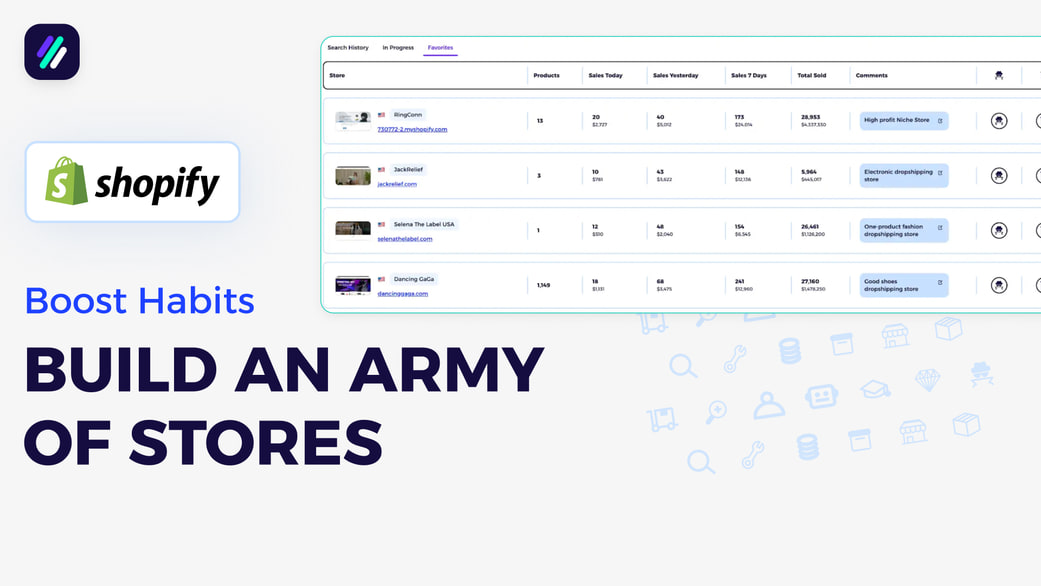
How to Build an Army of Shopify Stores That Works for You | Save Stores to Favorites
How to Build an Army of Shopify Stores That Works for You | Save Stores to Favorites
📚 What This Video Covers
Strengthen Your Product Research & Marketing Strategy
Goal: Learn how saving Shopify stores to your watch list can improve your product research, marketing decisions, and overall selling strategy.
✅ Insight: The fastest way to grow is by learning from stores that are already winning.
Why Saving Stores Matters
Top-performing stores provide real, proven insights you can use in your own business.
By tracking them regularly, you can identify their best sellers, rising products, new strategies, and even viral social media posts.
This allows you to model what works instead of guessing.
The Power of Consistent Tracking
When you save and scan stores weekly, you create a repeatable system.
This system helps you work smarter, spot trends earlier, and continuously improve your strategy.
How to Build Your Army of Stores
Step 1: Add Stores to Favorites
Whenever you find a store worth tracking, click Add to Favorites.
Step 2: Leave a Meaningful Comment
Add a short note explaining why the store matters, for example: “One-product fashion dropshipping store.”
Step 3: Rate the Store
Give the store a rating from 1 to 5 stars based on how valuable it is to your business.
Click Save Search.
Where to Find Your Saved Stores
All saved stores automatically appear inside the Sales Tracker tool under the Favorites tab.
This becomes your personal database — your growing army of Shopify stores to analyze and learn from.
Best Practice: Scanning Routine
Scan your saved stores every two weeks.
Look for new best sellers, rising products, updated selling strategies, and viral content ideas.
✅ Result: Compounded learning and a stronger, data-driven selling strategy.